
Capture loads, place vehicles, manage accounts.
From your desktop, phone or tablet.


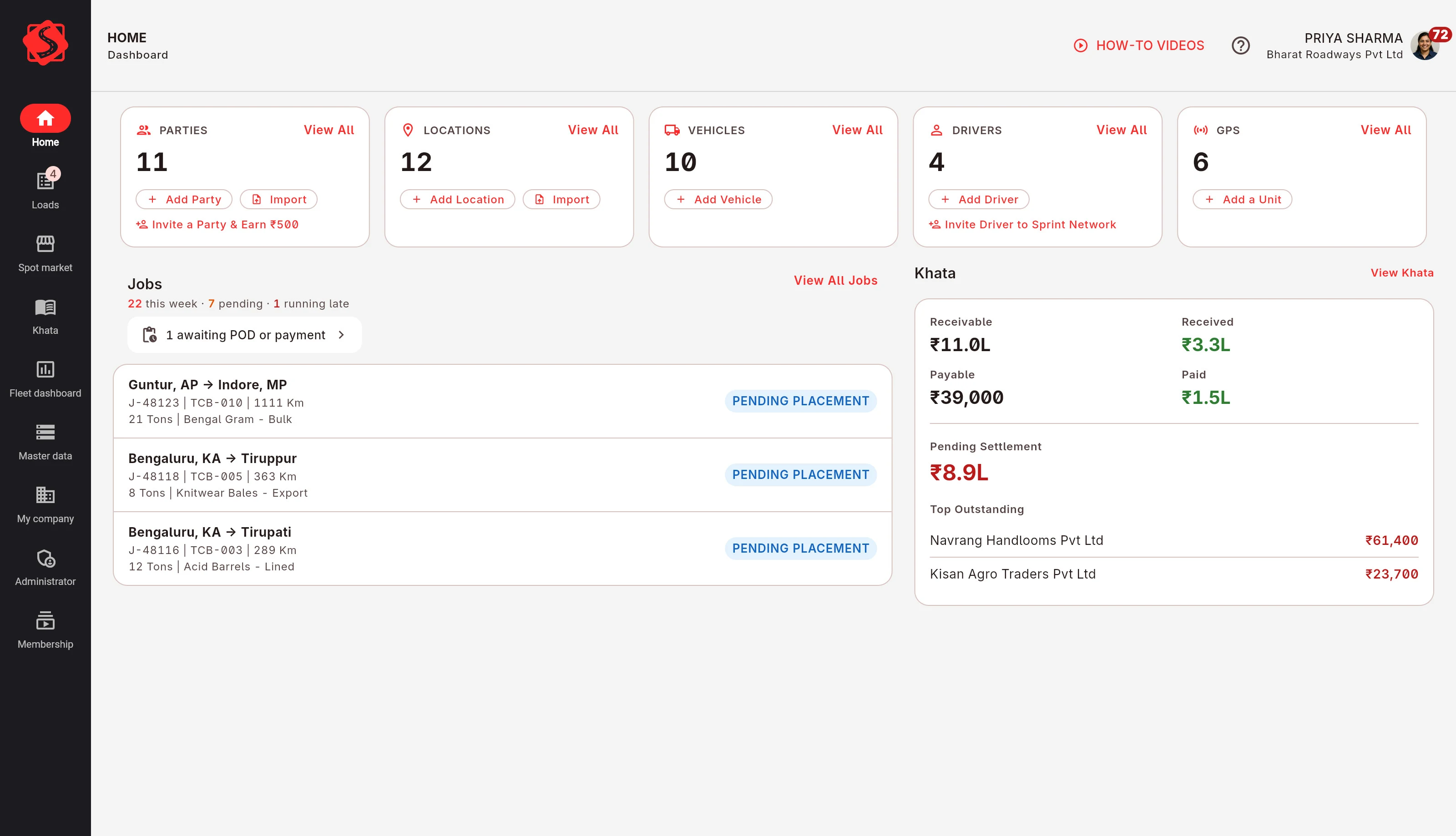
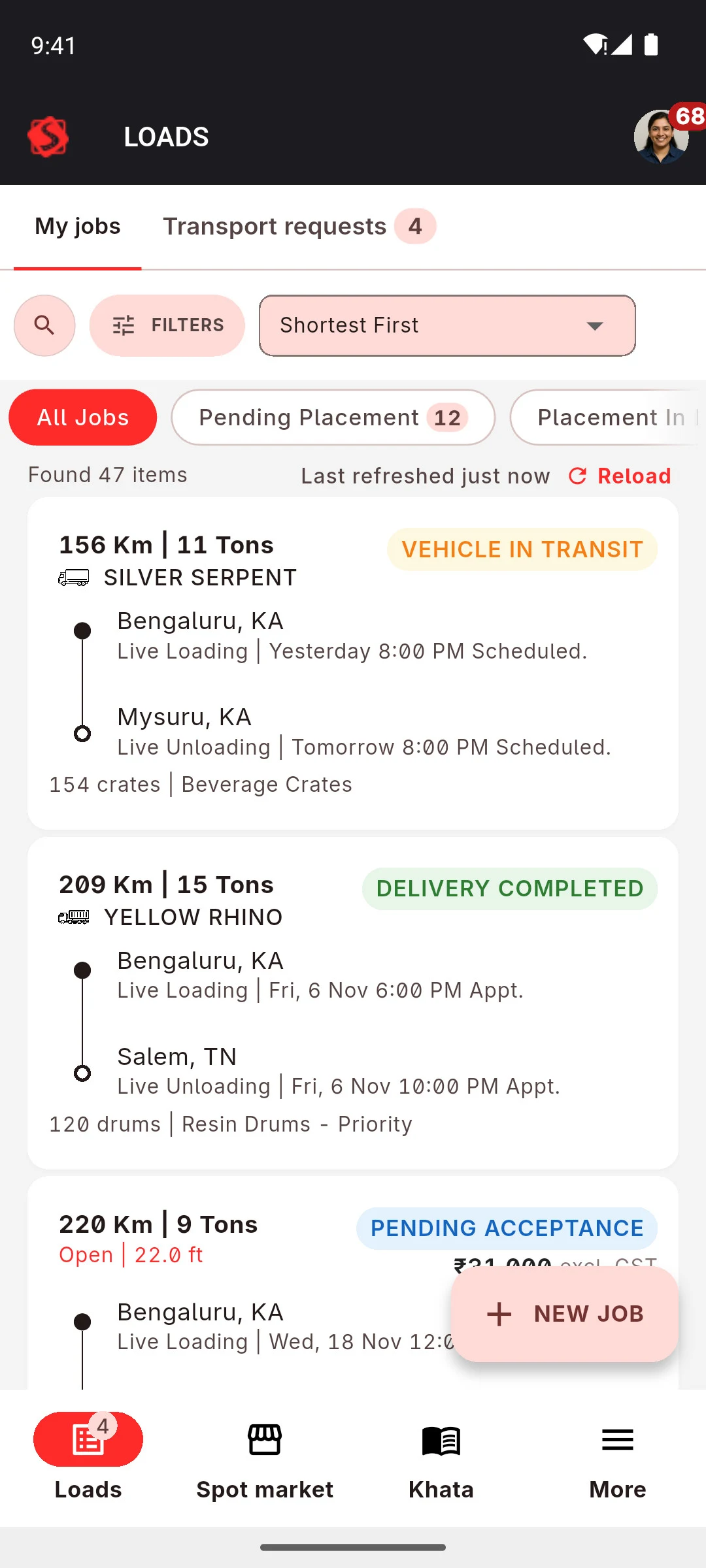
Placement
Run it on your own vehicle, or hire one.
Two ways to place a job: your own vehicle, or a vehicle you hire for this job.
-
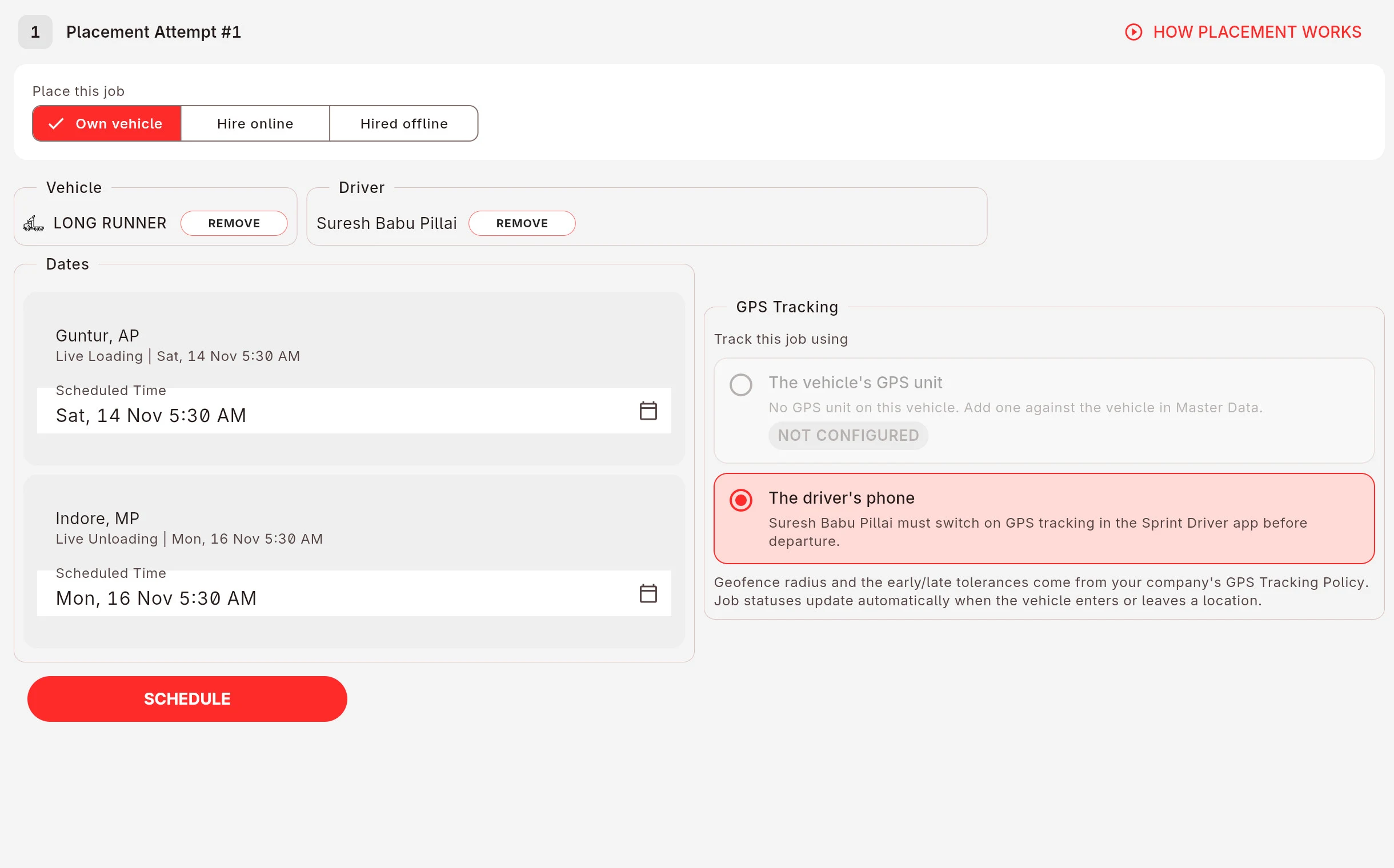
Your own vehicle
Assign a vehicle and a driver. Track it with the vehicle-mounted tracking unit or the driver's phone.
-
A hired vehicle
Hire a vehicle for this job from your network or from the open spot market. Assign it directly to a truck owner you already work with, ask your network for quotes, or post it to the spot market. Sometimes the better deal is a truck from another state going back empty on its return journey.
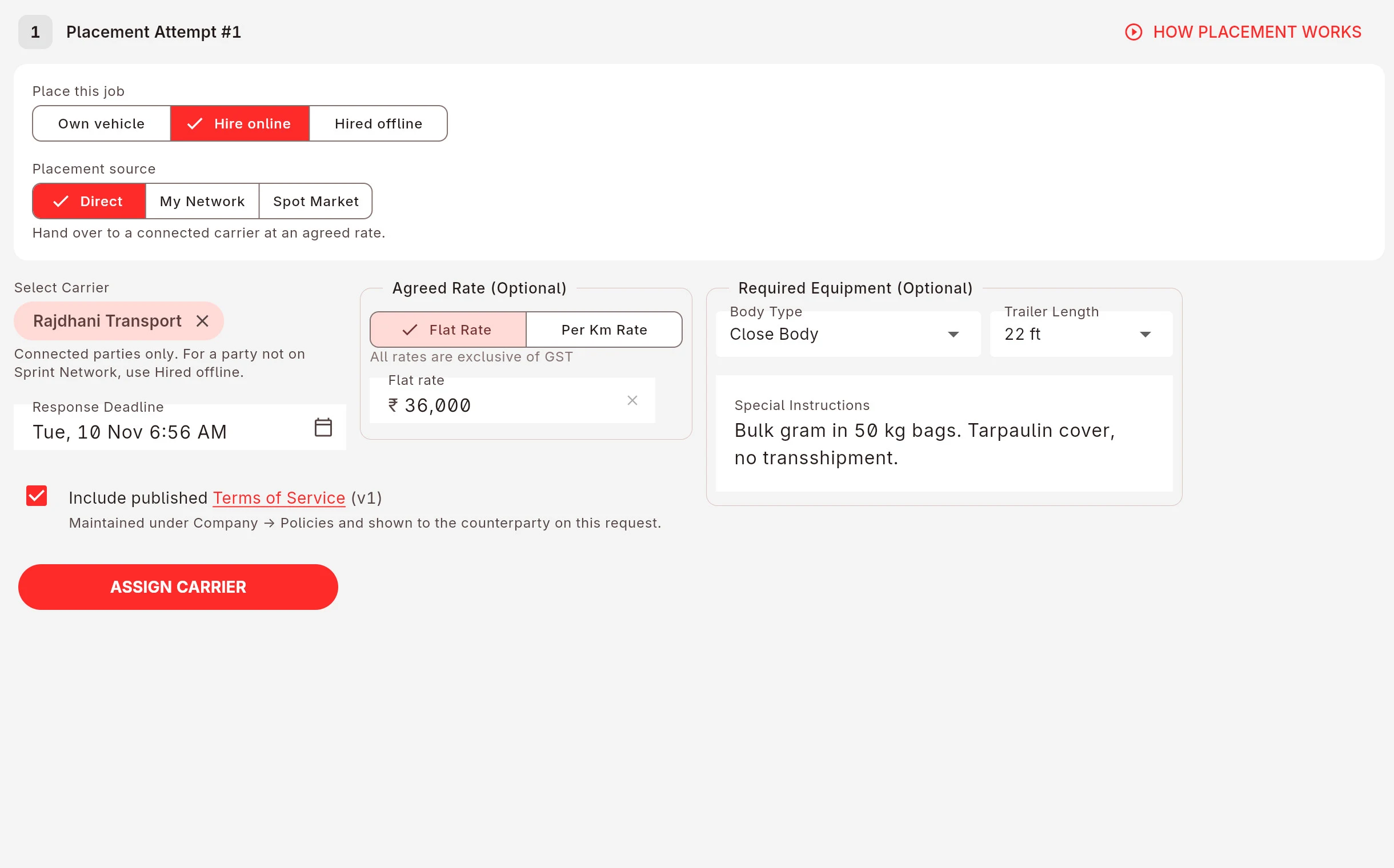
Every attempt is kept in the job's placement history. If a truck owner backs out, the next attempt starts from the same job.
Your customer
Your customer need not call to ask where the vehicle is.
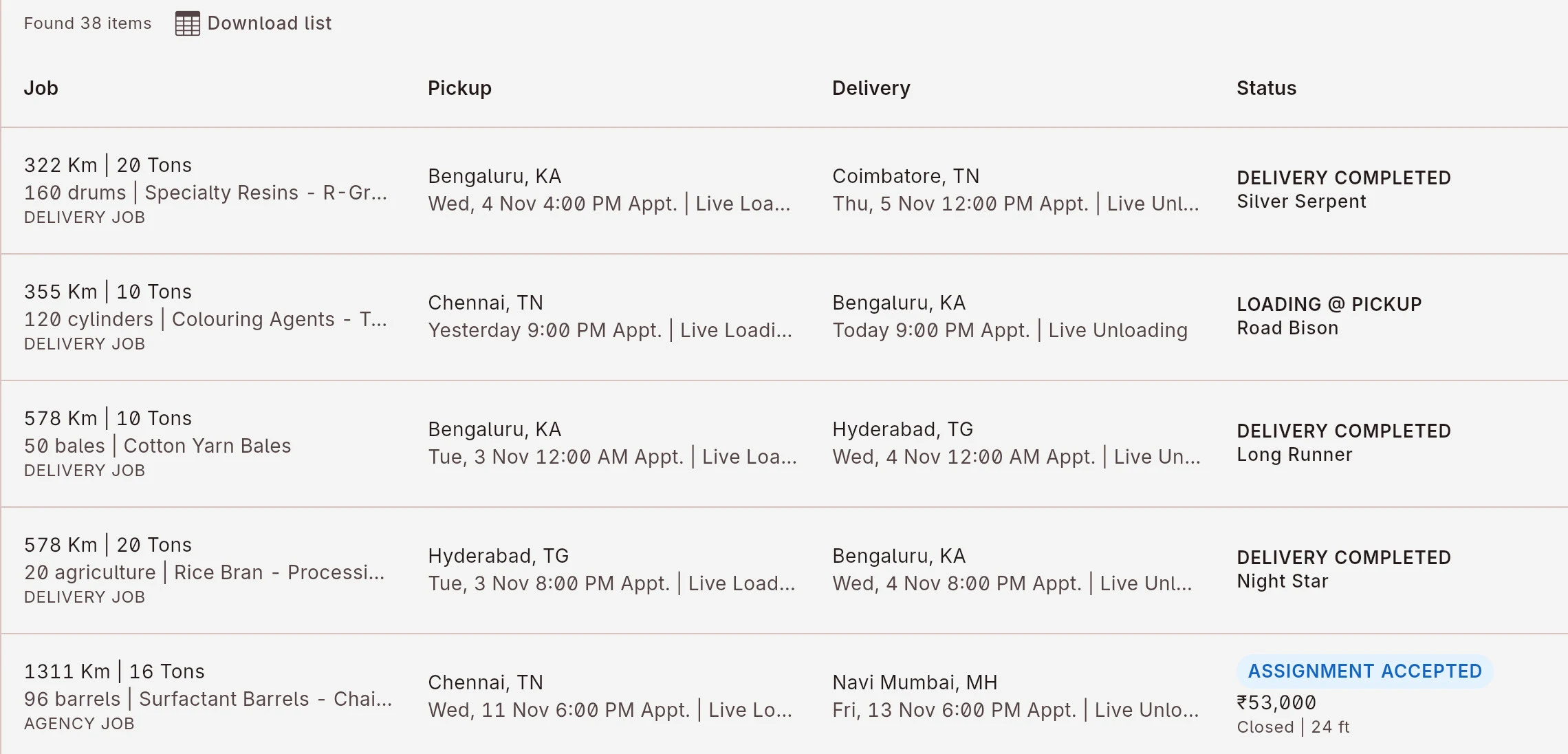
Because they can see it. Every job carries a live status: loading, in transit, unloading, running on time or late.
Your customer sees the same job you do. Messages with the customer and the driver sit on the job, not in a group chat nobody can search.
Orders
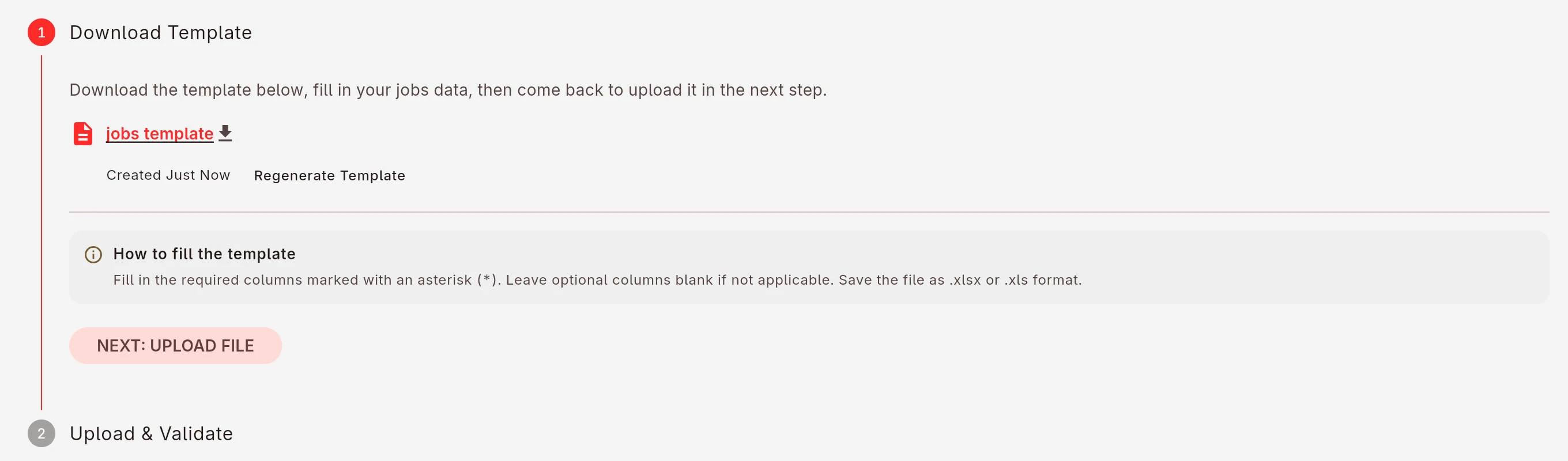
Upload a month of orders from one Excel sheet.
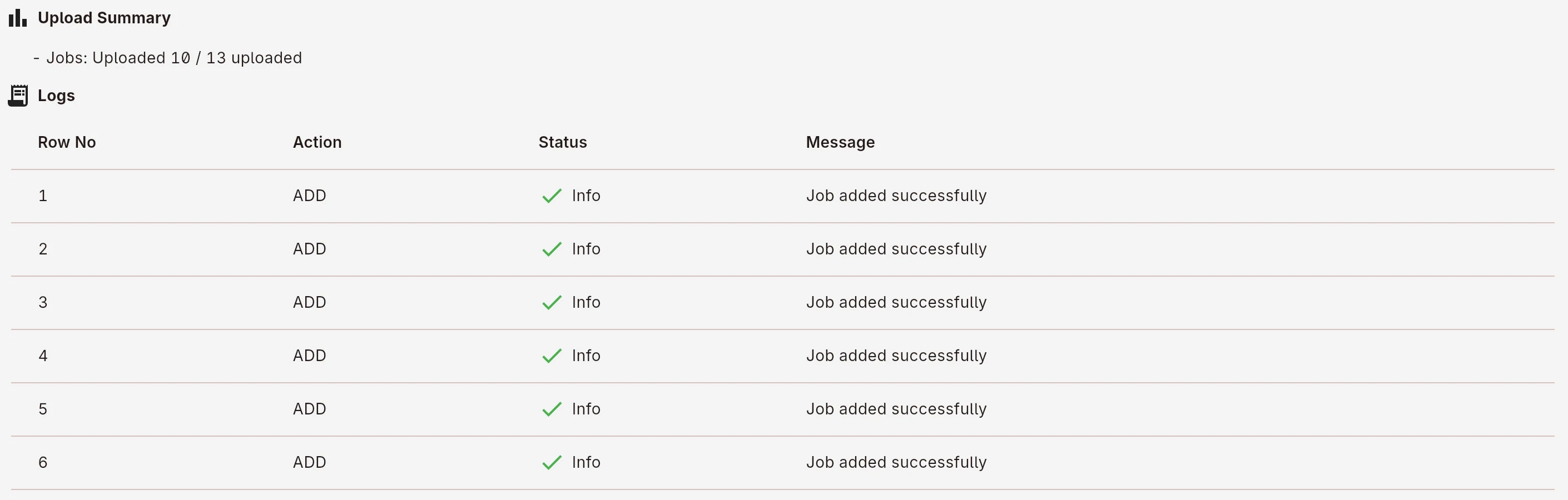
Download the template, paste the month in, upload it once. The jobs land in your list; rows with a problem are listed with the reason, so you fix the sheet, not forty forms.
Parties, locations and vehicles import the same way.
Money
Proof of delivery uploaded by the driver. Payment processed on verification.
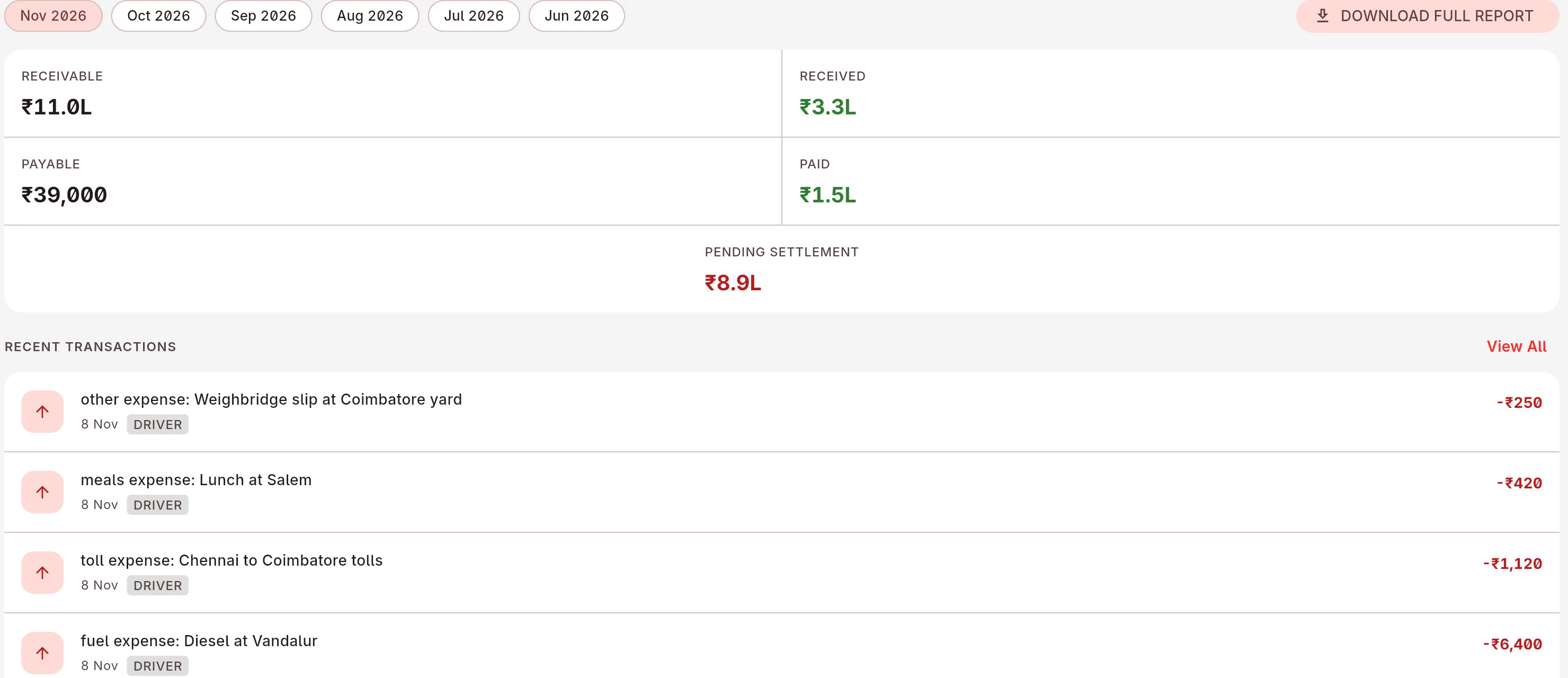
Each customer has a running account: receivable, received, pending. Driver advances, bhatta and trip expenses sit on the same job, so you know what the trip actually made.
Party by party, vehicle by vehicle, driver by driver, with the bank reference on every payment.
Driver accounts
The driver posts the expense. You see it that minute.
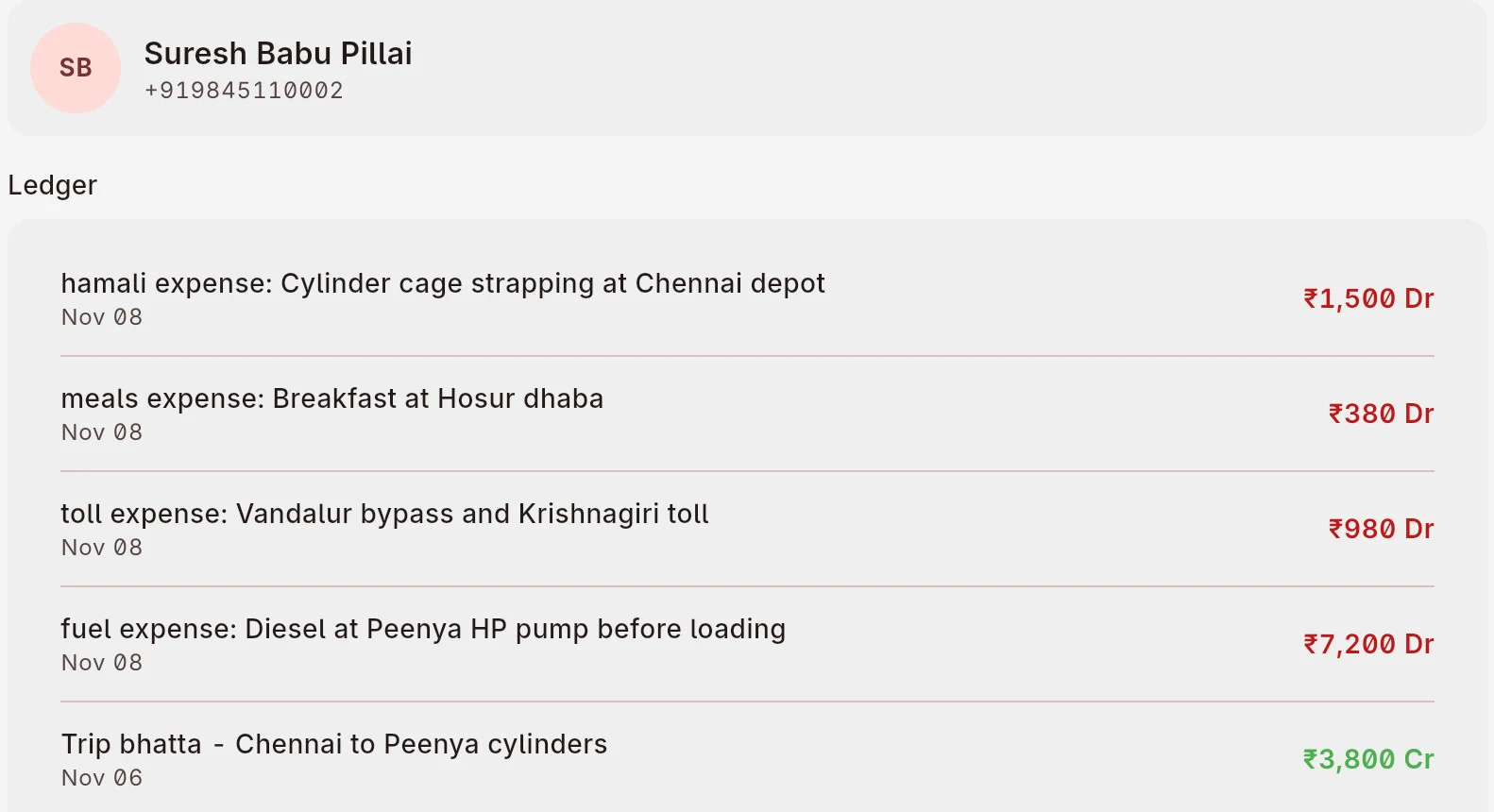
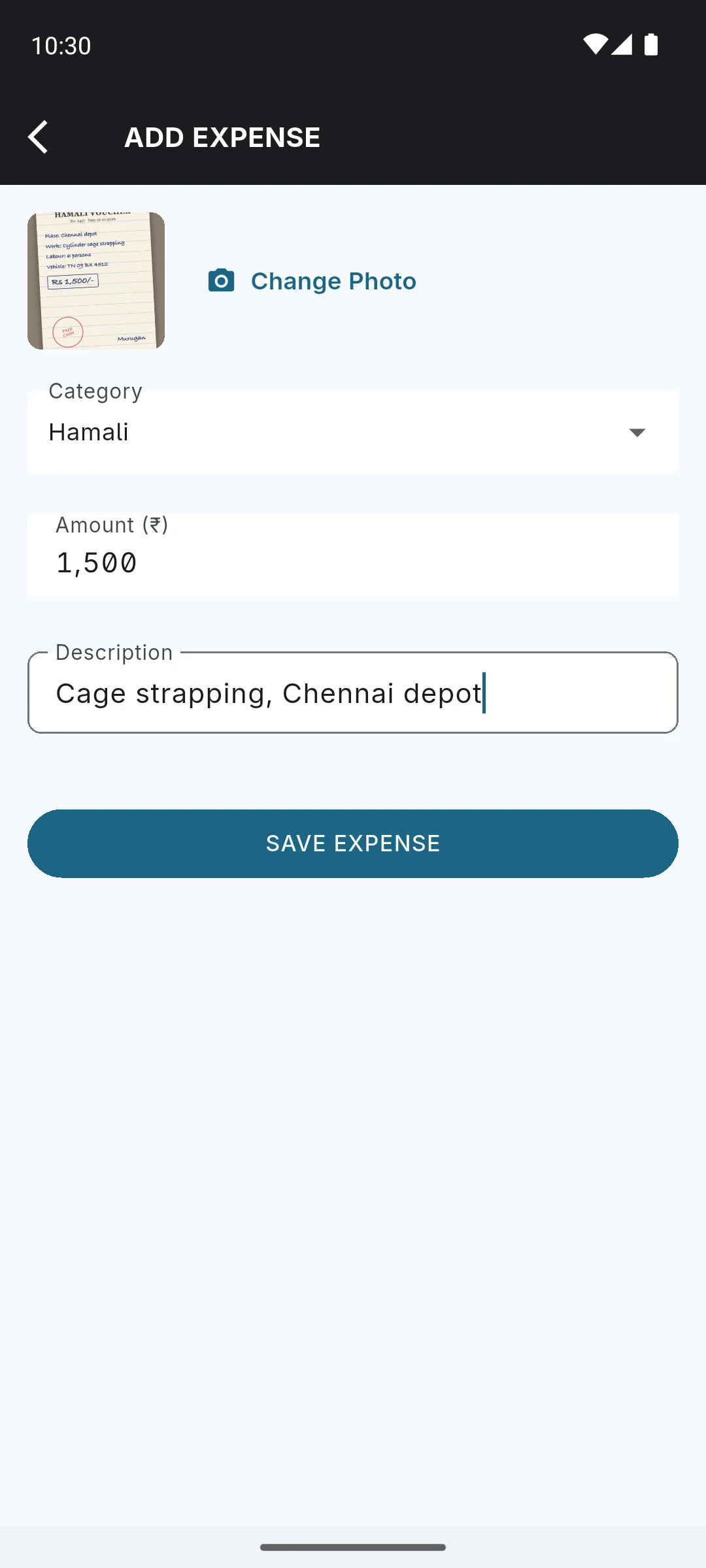
Hamali, fuel, tolls, meals: the driver photographs the voucher and posts it from the road. It lands in that driver's ledger on the job, against the advance and bhatta, before the trip ends.
Settle driver by driver, with the bank reference on every payment.
Documents
All the documents in one place.
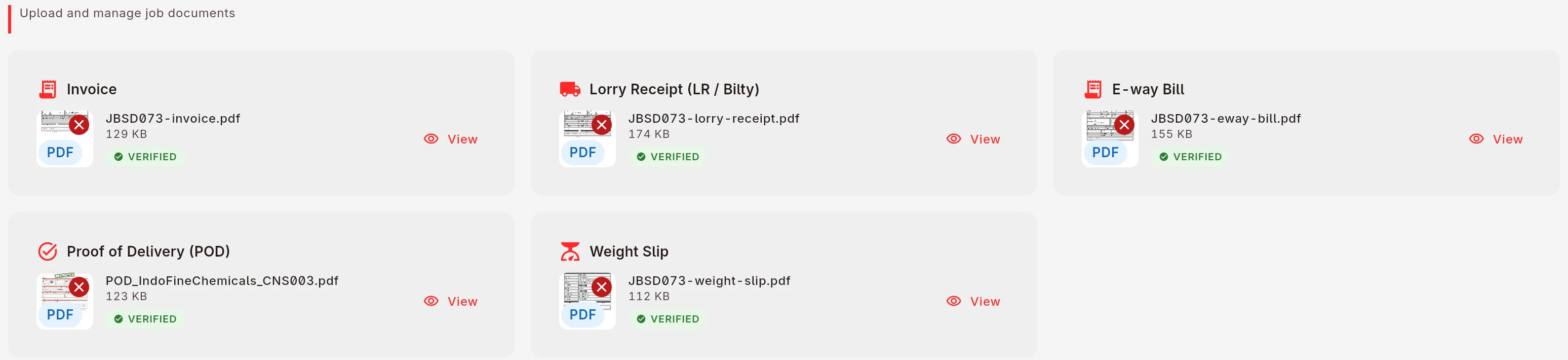
Billing waits on paper. In Sprint the driver photographs the POD at the unloading point and it is on the job that minute, next to the LR, e-way bill and weight slip.
No courier, no lost slip, nothing to chase before you can bill.
Tracking
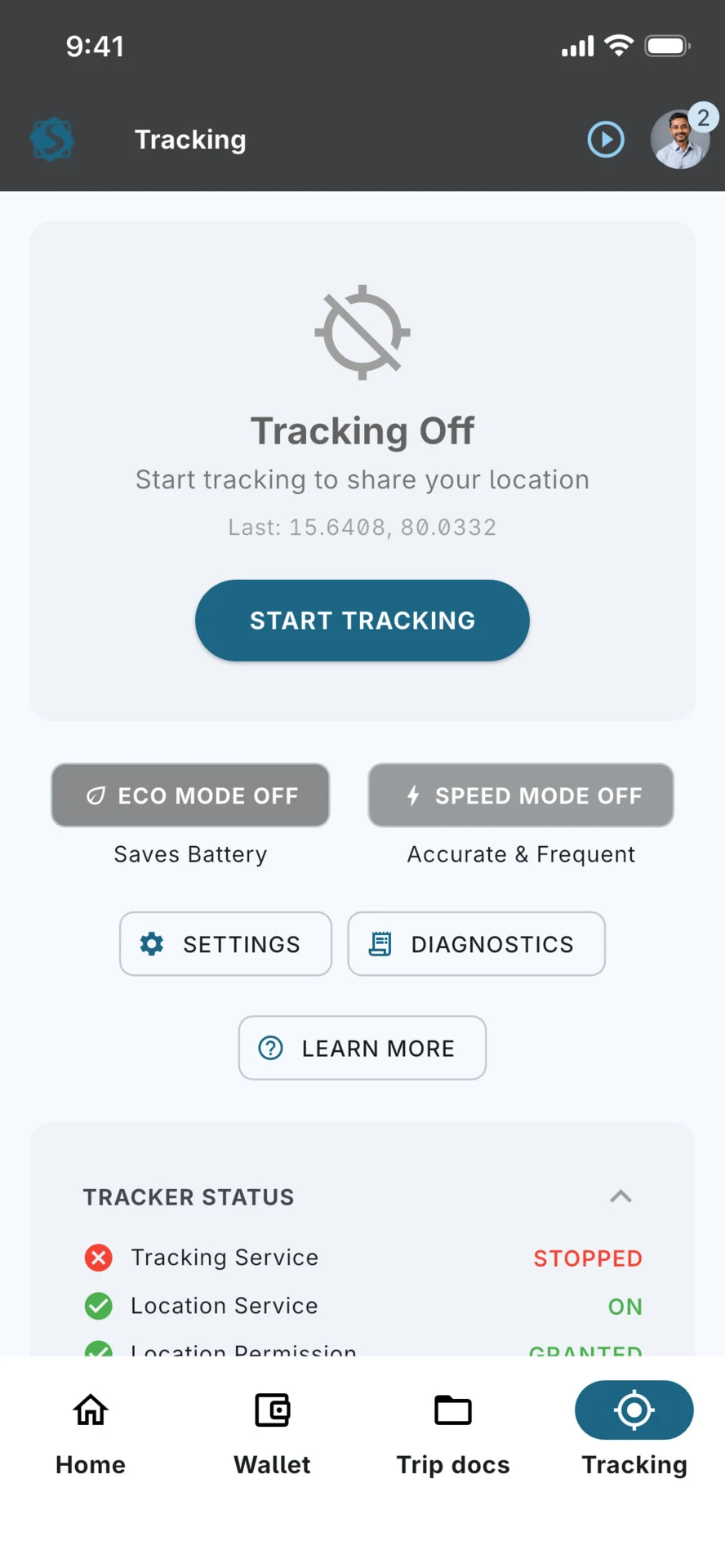
Vehicle-mounted tracking unit or the driver's phone.
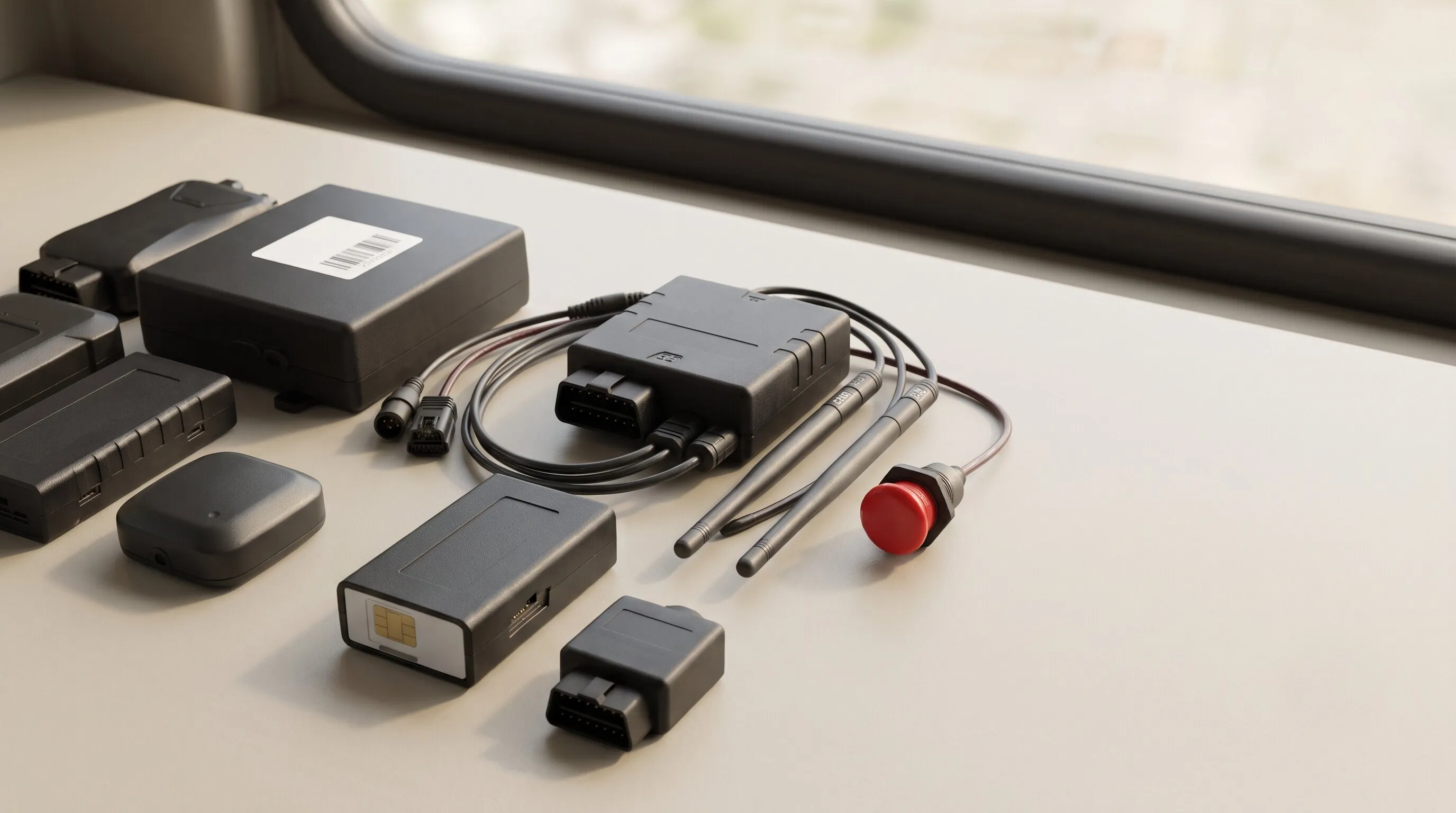
Your GPS dealer can point the vehicle-mounted tracking unit at Sprint's tracking server.
Sprint can integrate with 1,500+ tracking unit models, such as iTriangle Bharat101, Watsoo Prithvi, Mappls, Teltonika FMB, Concox GT06, Suntech, Aquila, H02 and JT808.
No vehicle-mounted tracking unit at all? The driver's phone can also be used to track the trip.
 AIS 140 unit 1,500+ tracker models
Fleet
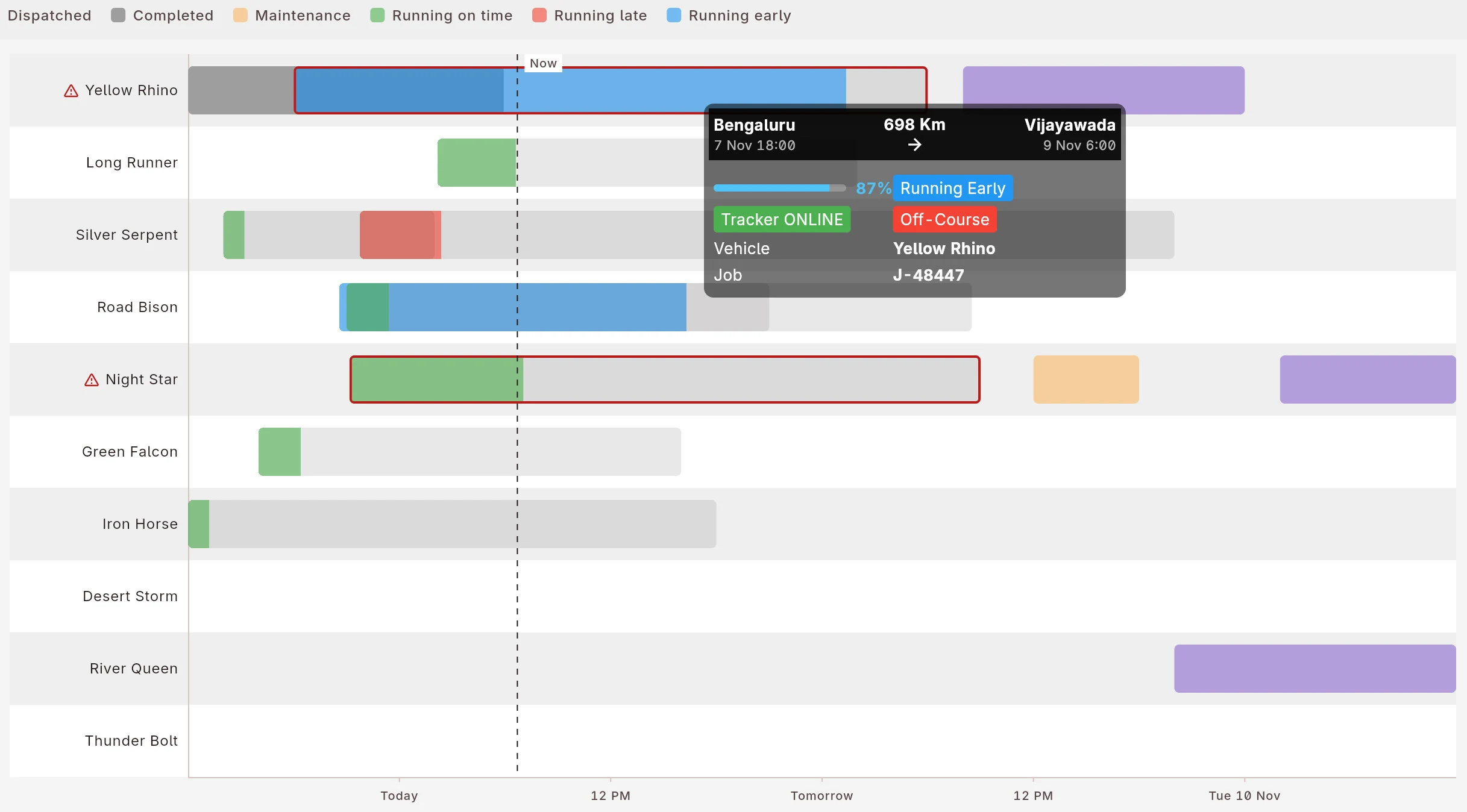
See all your vehicles and their tasks in one view.
One chart: every vehicle against the week, colour-coded dispatched, running on time, running late, in maintenance, idle.
There is more
- Staff roles. Planners, accounts and administrators each see their part.
- Spot market. Bid on open loads when a vehicle is idle.
- GPS units. Units already fitted, and 1,500+ tracking unit models.
- Referral. Invite a party, earn credit when they join.
30-day free trial. Flat monthly plan. No commission on your freight.
See every plan and what it includesInstall Sprint Transporter. Free for 30 days.
Install it, add your vehicles, create the first job.