
For transport contractors, with or without your own fleet
Every consignment fulfilled and delivered, on time.
Without running the day on phone calls, WhatsApp groups, Excel sheets, paper bookkeeping
Best on a computer. Send yourself this link on WhatsApp and open it at your desk.
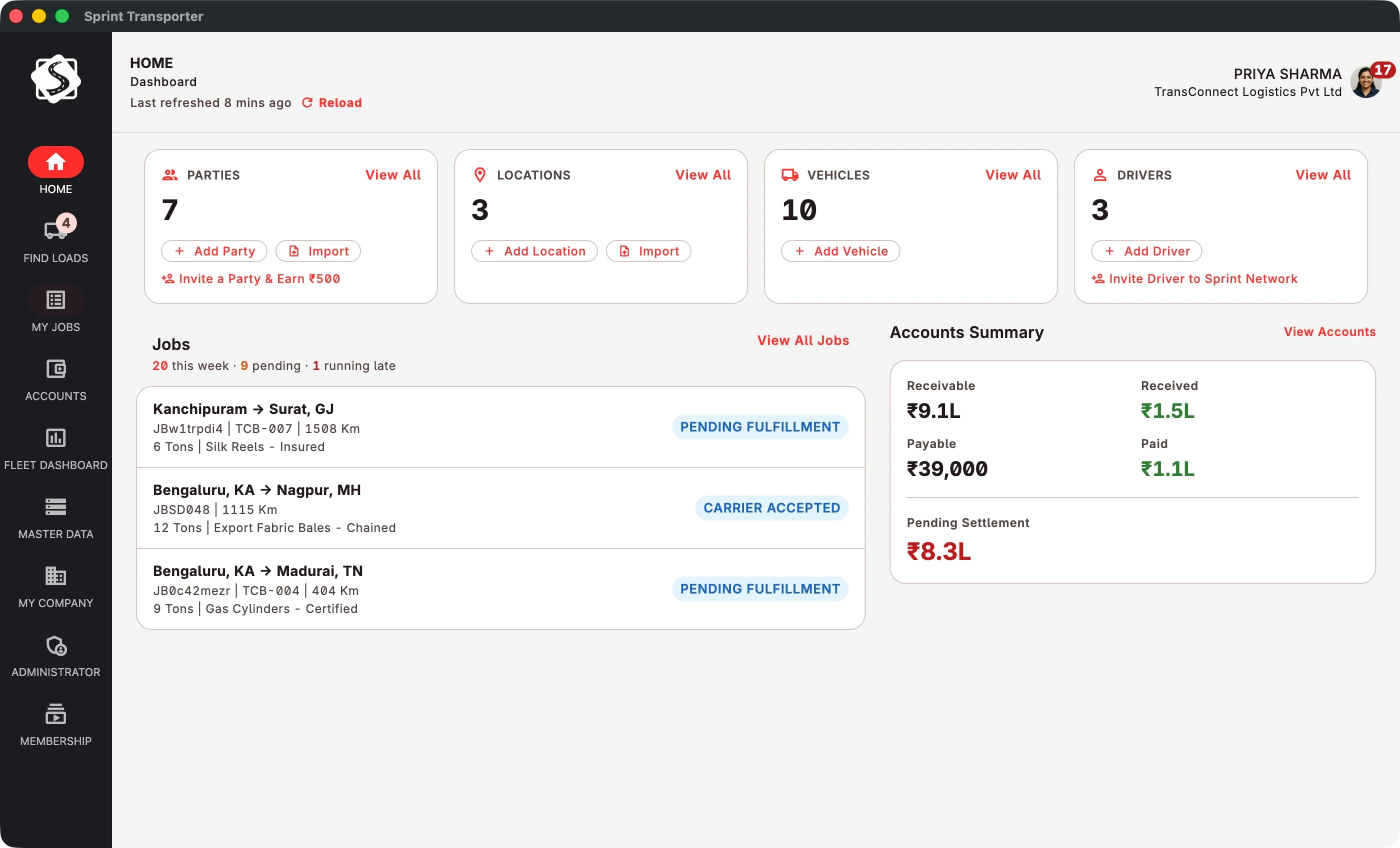
Placement
One vehicle short for tomorrow's placement.
Every job asks one question: who carries this? There are two answers. You run it on your own vehicle, or you subcontract it, and Sprint gives you three ways to do that.
-
Run it yourself
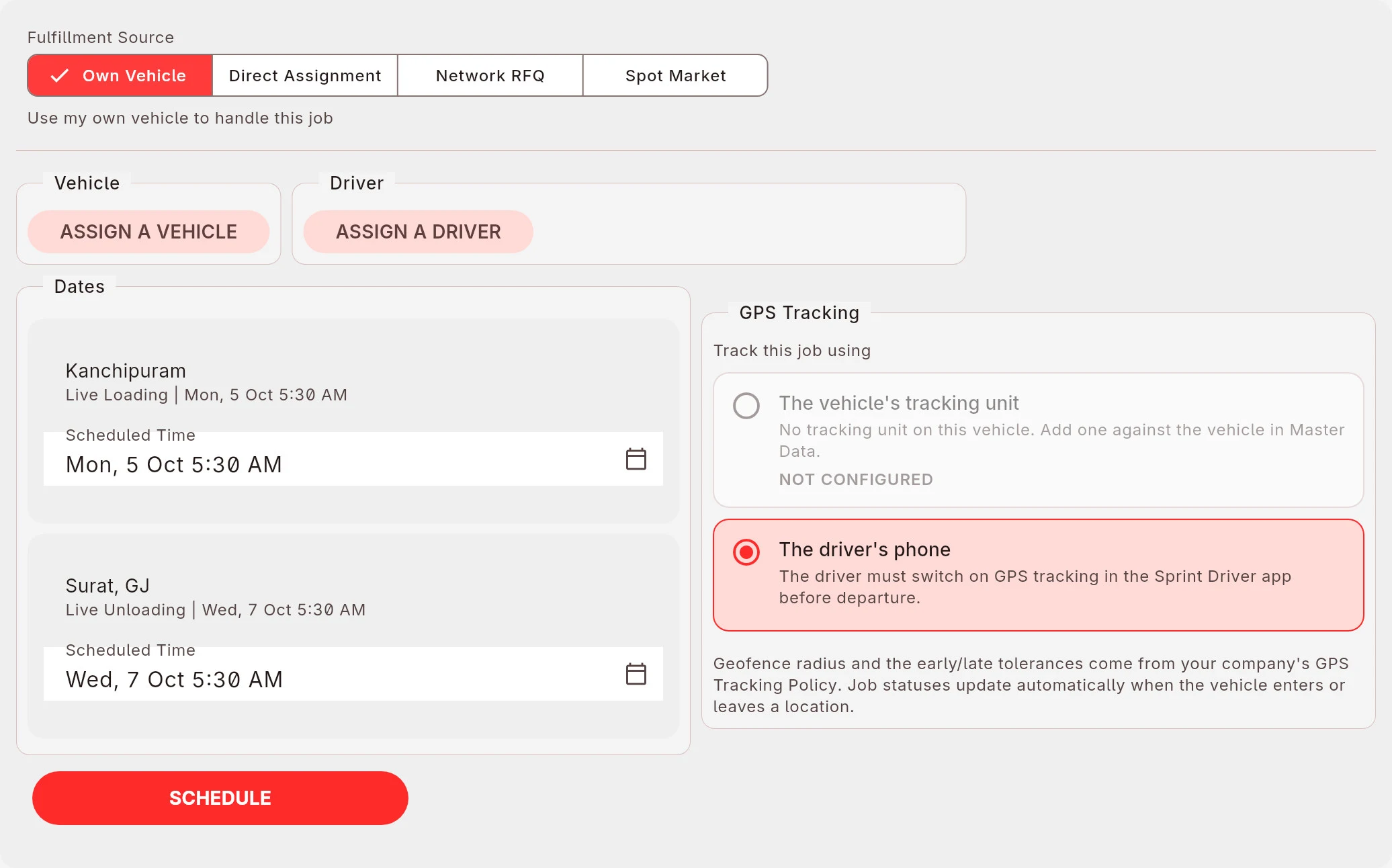
Your own vehicle
Assign a vehicle and a driver. Track it with the GPS unit on the vehicle or with the driver's phone.
-
Or subcontract it
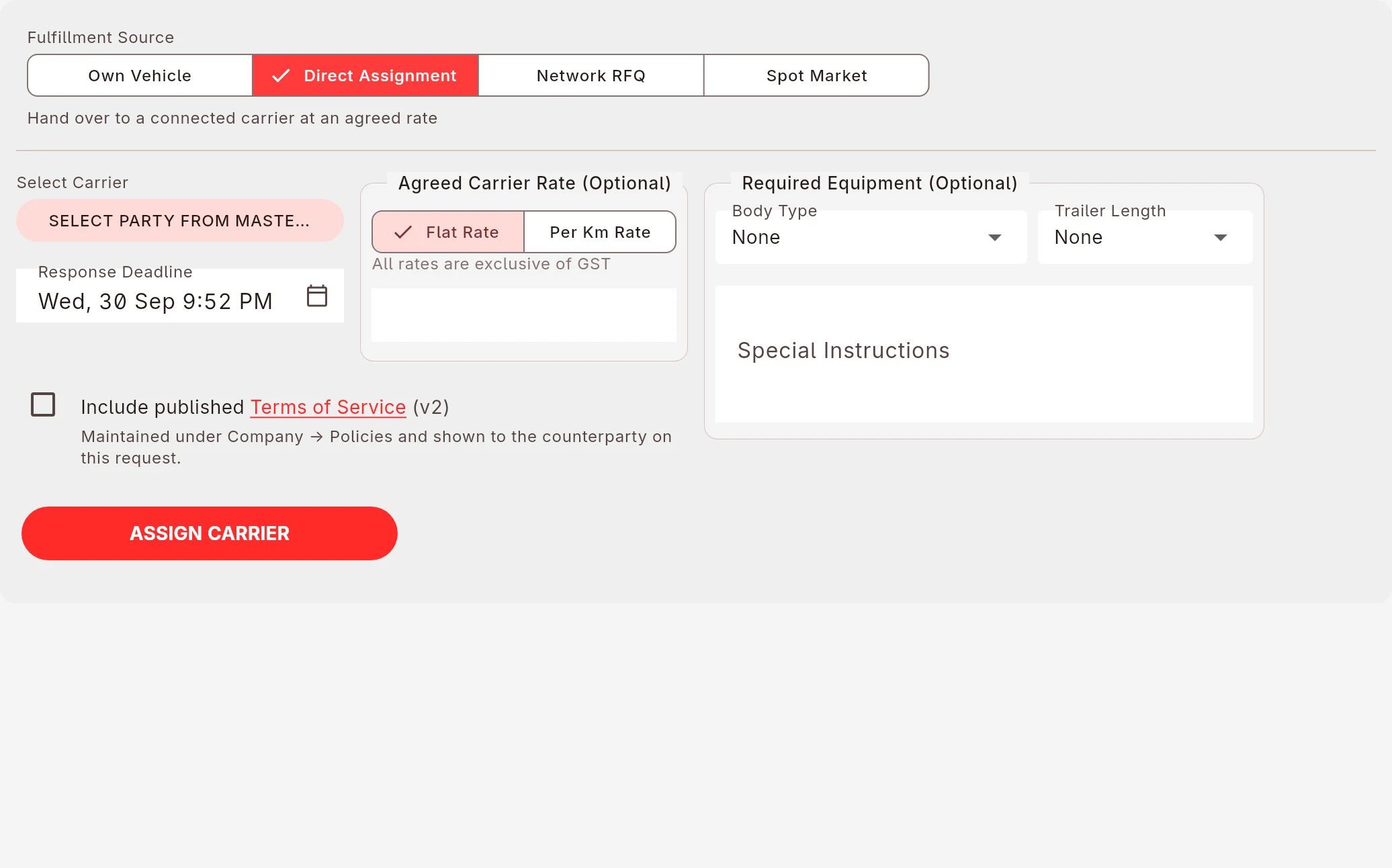
1 Direct assignment
Hand the job to a subcontractor you already work with, at an agreed rate. They accept or decline in the app, so you know tonight, not tomorrow morning.
-
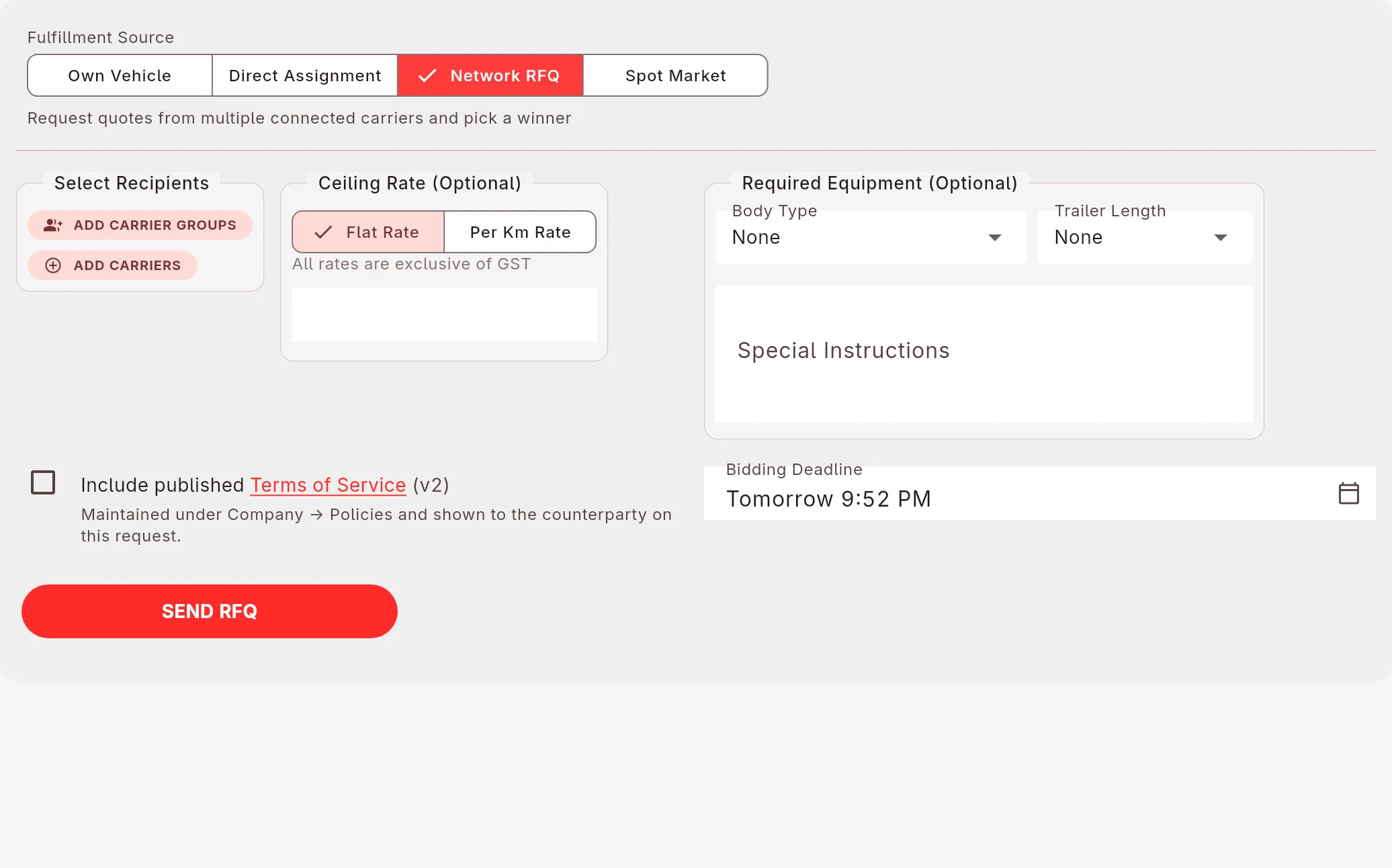
2 Ask your network
One request to the subcontractors you pick, against a ceiling rate you set. See every quote on one page, chat with each bidder, accept one or ignore them all.
-
3 The public spot market
Post it to the public spot market and carriers across the country bid on it directly. Compare rates, open each company's profile, pick one. You bid directly; Sprint takes no commission on freight.
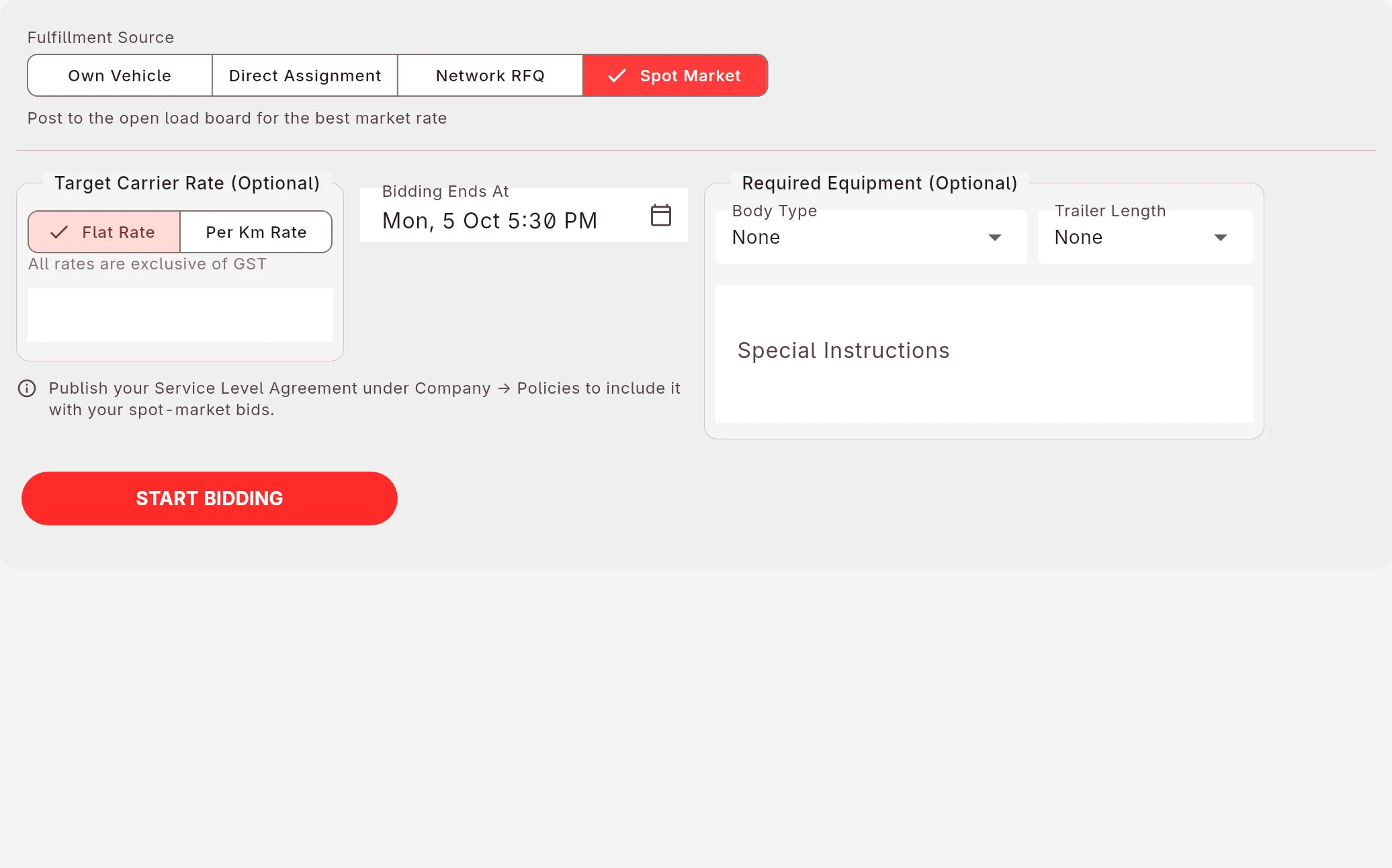
Every attempt stays on the job. If the first carrier backs out, the next attempt starts from the same screen.
Who is on the other side
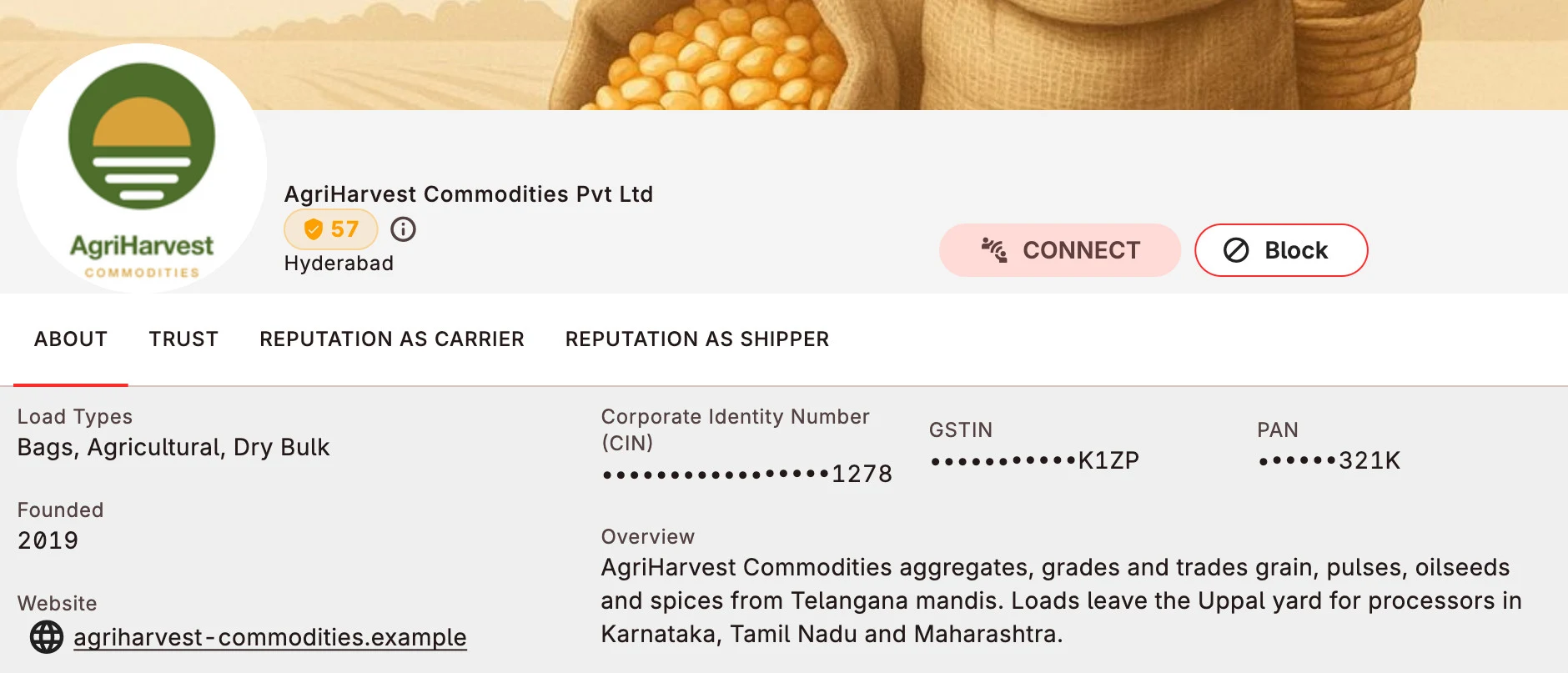
Who is this shipper, really?
Every company on Sprint has a profile: verified identity, documents, and a reputation earned through reviews from the other party on consignments completed over time.
Read it thoroughly before you take a job on, or before you hand one over.
Your customer
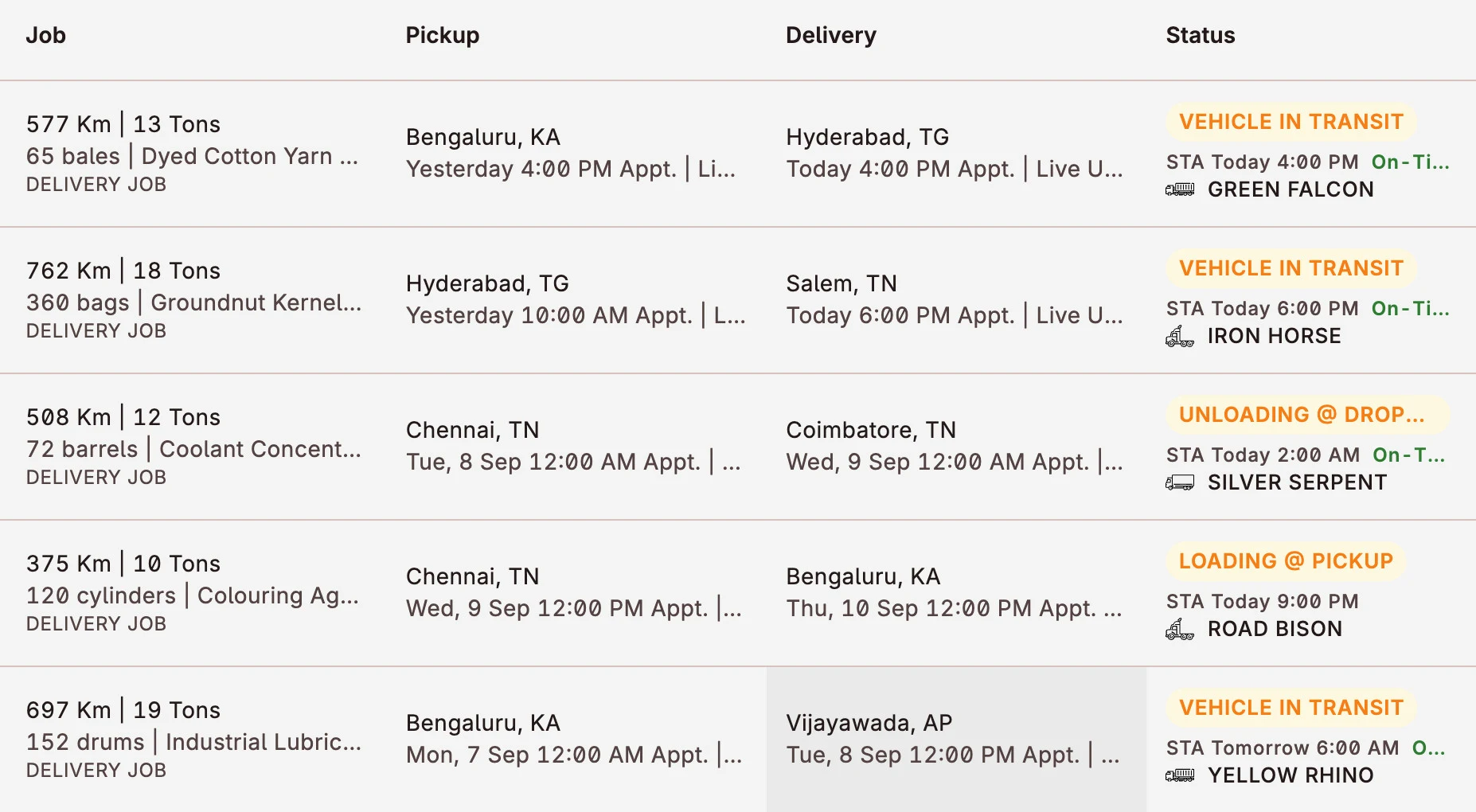
Your customer need not call to ask where the vehicle is.
Because they can see it. Every job carries a live status: loading, in transit, unloading, running on time or late.
Your customer sees the same job you do. Messages with the customer and the driver sit on the job, not in a group chat nobody can search.
Orders
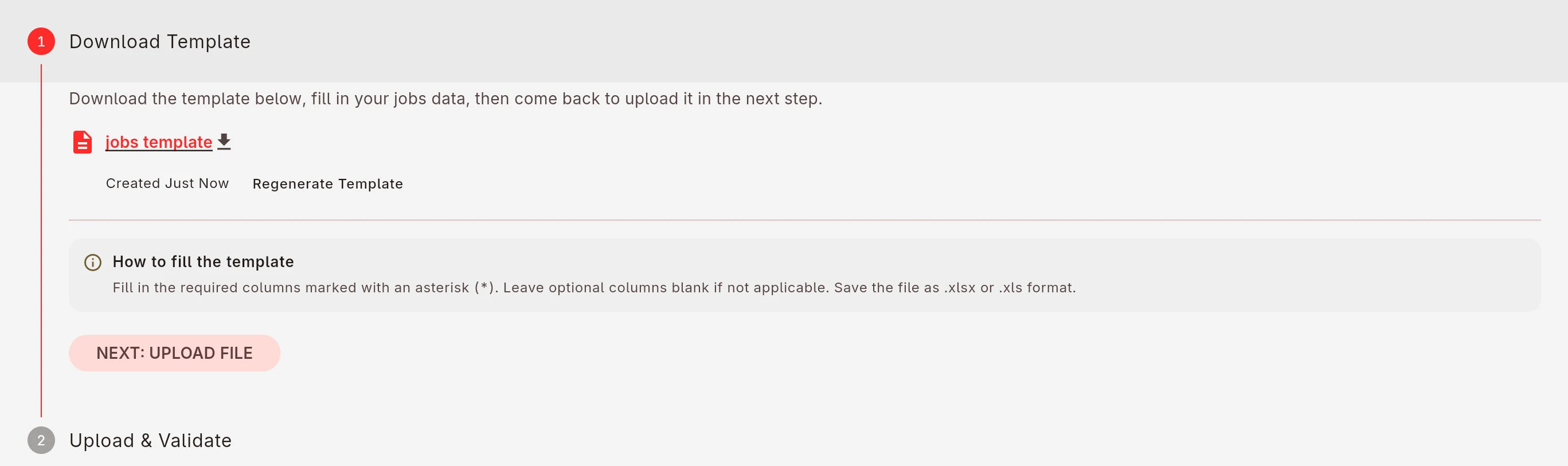
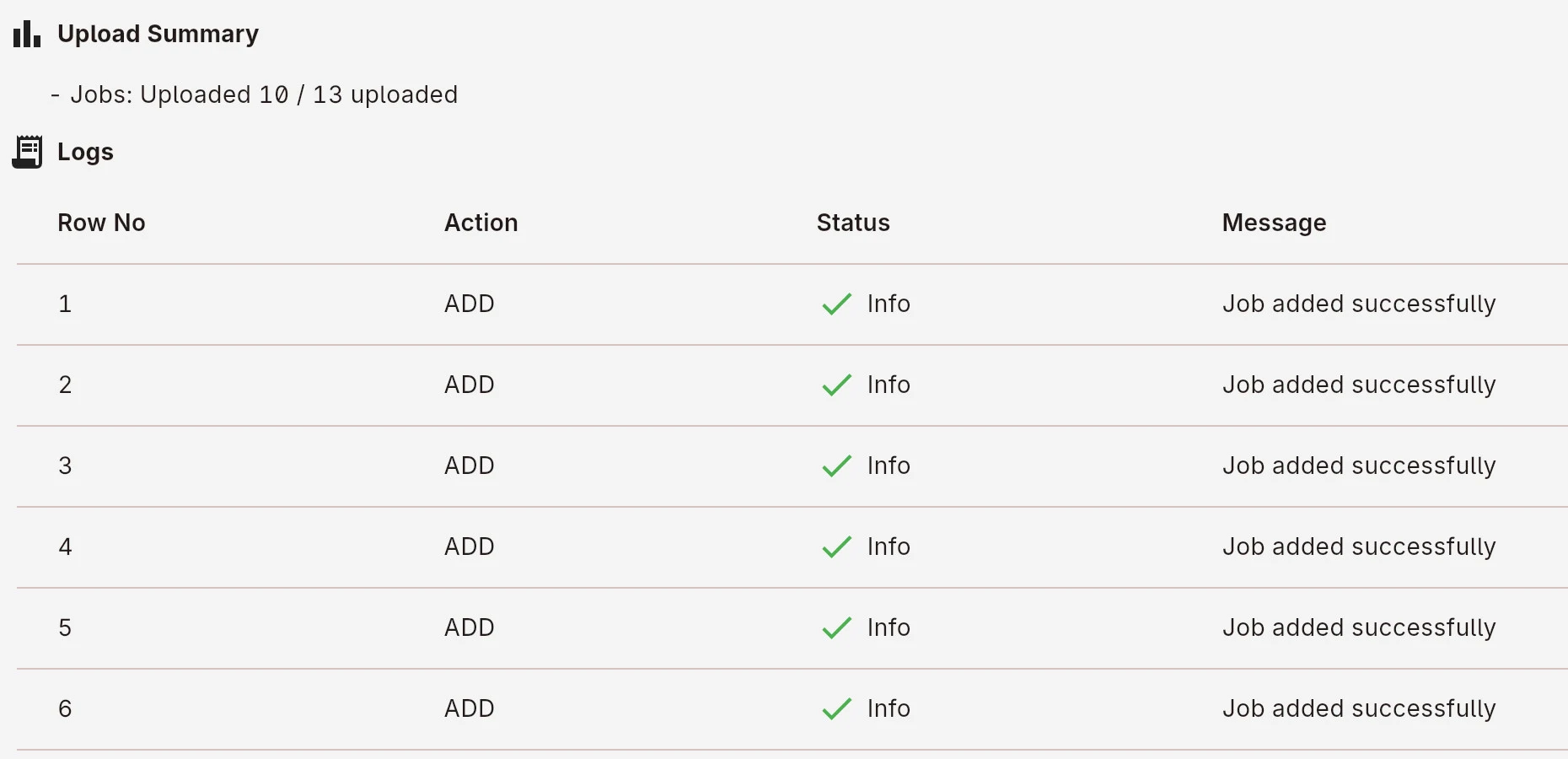
A month of orders arrives as an Excel sheet.
Download the template, paste the month in, upload it once. The jobs land in your list; rows with a problem are listed with the reason, so you fix the sheet, not forty forms.
Parties, locations and vehicles import the same way.
Money
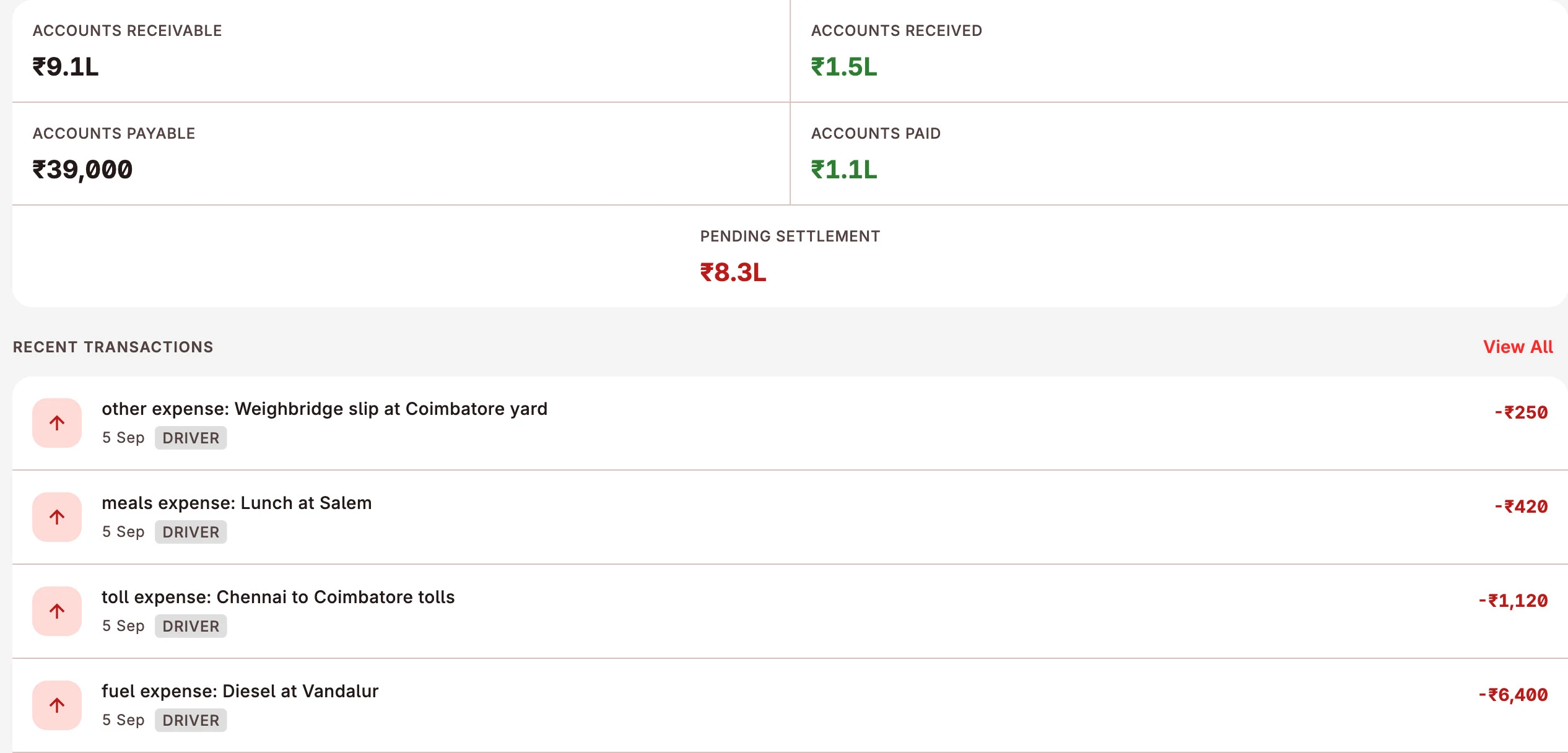
Delivered on the 3rd. Paid when?
Each customer has a running account: receivable, received, pending. Driver advances, bhatta and trip expenses sit on the same job, so you know what the trip actually made.
Party by party, vehicle by vehicle, driver by driver, with the bank reference on every payment.
Documents
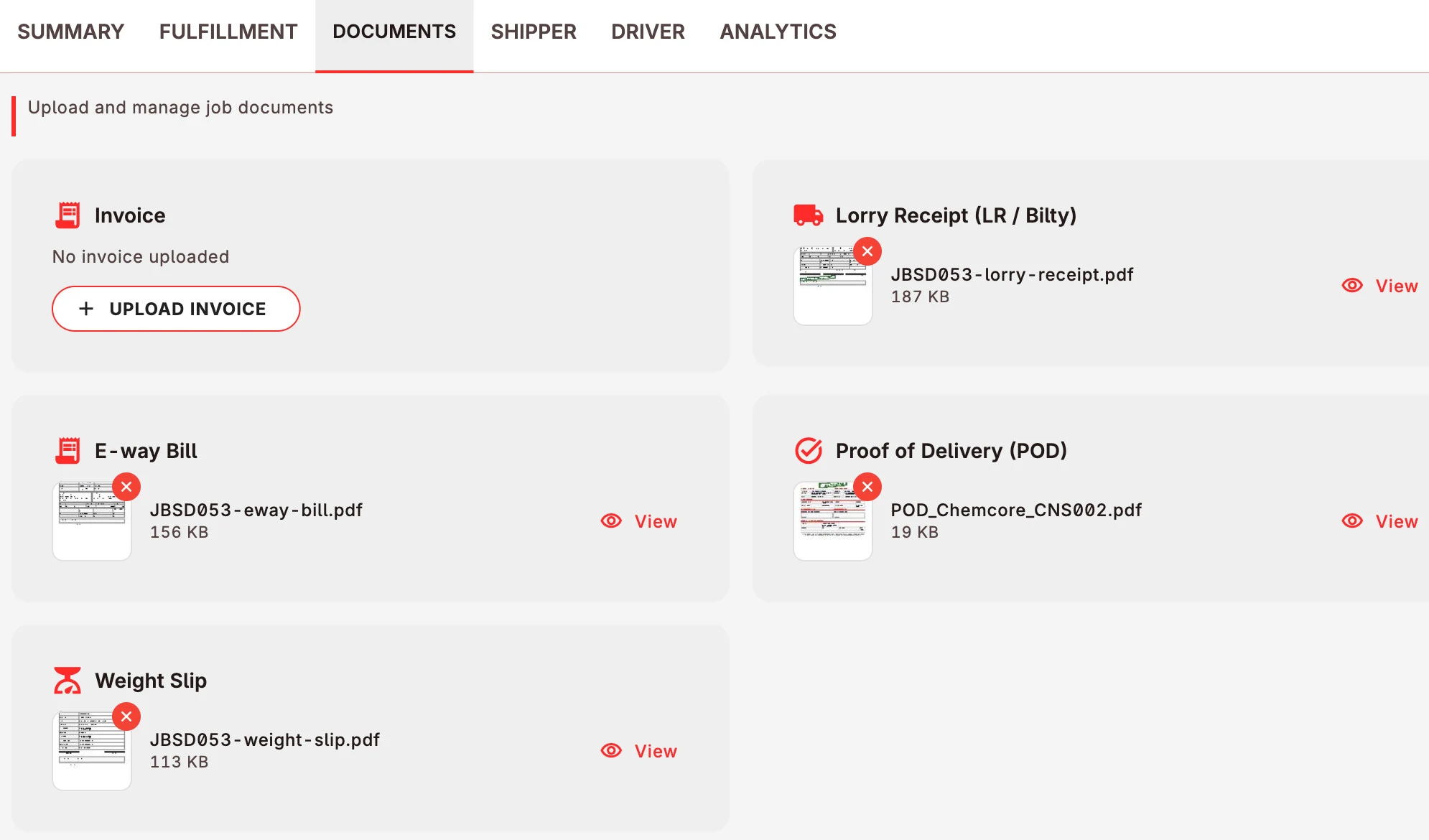
All the documents in one place.
Billing waits on paper. In Sprint the driver photographs the POD at the unloading point and it is on the job that minute, next to the LR, e-way bill and weight slip.
No courier, no lost slip, nothing to chase before you can bill.
Fleet
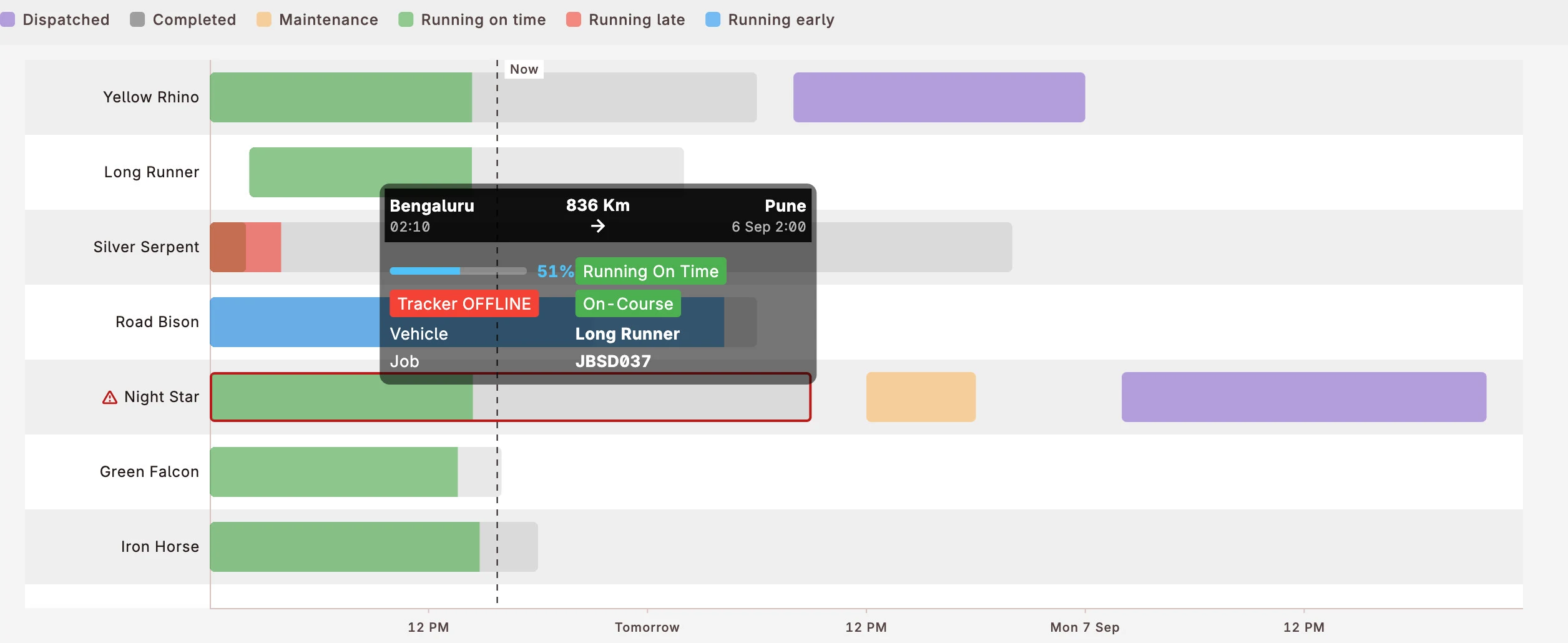
Which vehicle is free on Thursday?
One chart answers it: every vehicle against the week, colour-coded dispatched, running on time, running late, in maintenance, idle.
There is more
- Staff roles. Planners, accounts and administrators each see their part.
- Spot market. Bid on open loads when a vehicle is idle.
- GPS units. Connect the tracker already fitted on the vehicle.
- Referral. Invite a party, earn credit when they join.
30-day free trial. Flat monthly plan. No commission on your freight.
See every plan and what it includesWalkthrough
See the whole thing, start to finish.
Sprint Transporter walkthrough, 18 min. Real screens, real data, no slides.
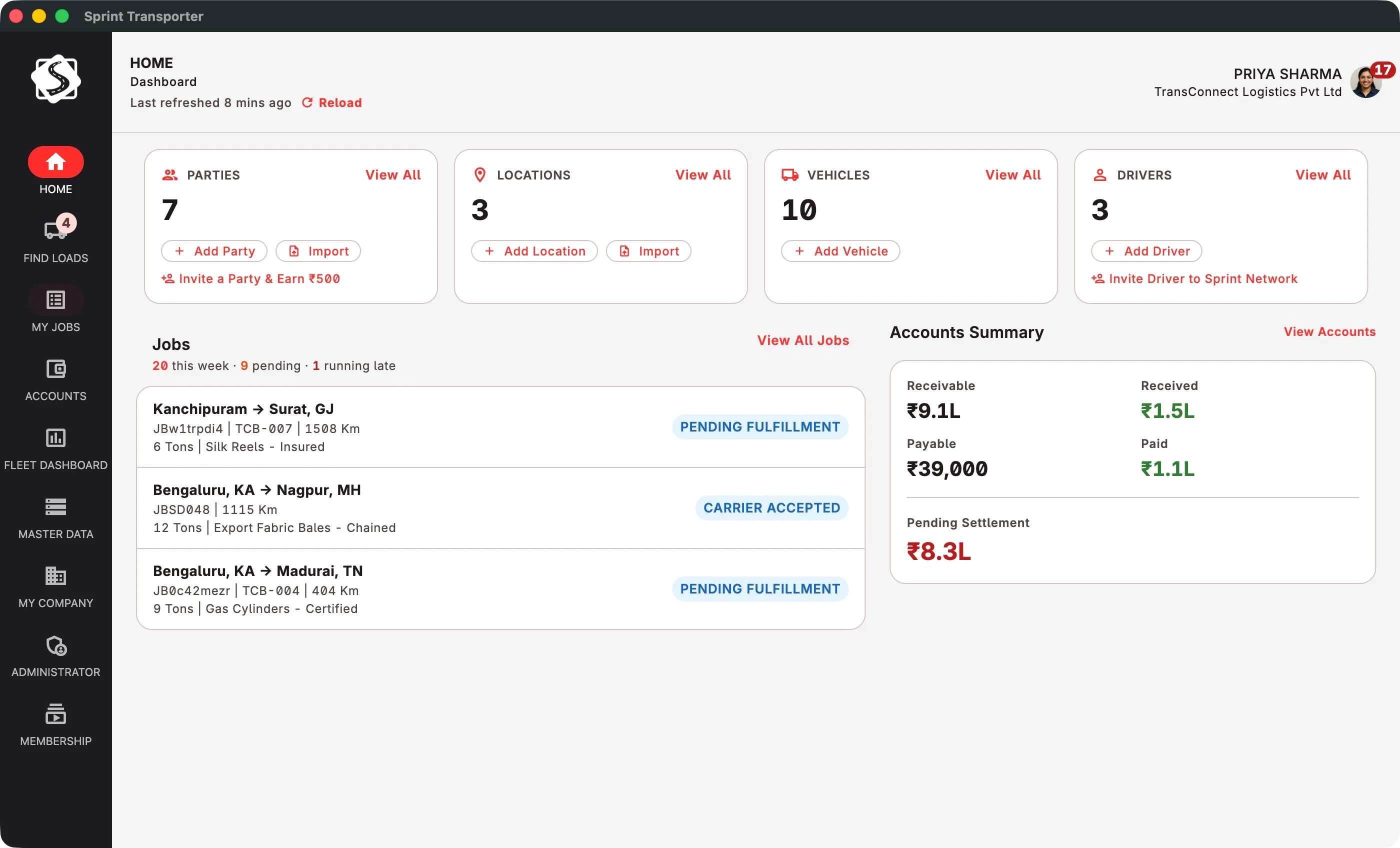
Run tomorrow's placements from one screen.
Install it, add your vehicles, create the first job.
Best on a computer. Send yourself this link on WhatsApp and open it at your desk.